Most GPS fleet tracking is sold with large fleets in mind. If your small business runs a few vans or trucks, up to a couple of dozen, you need a much shorter list of features, and you should pay attention to things the big feature tables leave out, such as who owns the hardware and how you get your data back. Here is a checklist you can take into any sales conversation, including one with us.
Quick answer
- Most small fleets buy tracking for a live map. Add trips you can play back and alerts for the few events you care about.
- For each feature, ask which tracker gives it. Features often differ by device, even on the same platform.
- Ask who owns the hardware and how you get your data back.
- Pick the three or four things on this list that matter and judge vendors on those.
1. The data you actually need
- A live map with every vehicle on it. This is the feature most small fleets buy tracking for.
- Trips you can play back, so you can see where a vehicle went and when. Ask how far back you can look.
- Alerts for the few events you care about, covered below.
- Engine fault codes, if breakdowns cost you jobs. Ask which vehicles and which trackers this works with. It often depends on the diagnostic port.
- Idle time, only if fuel or engine wear is a real concern for you.
For each item, ask which tracker gives it. Features often differ by device, even on the same platform.
Ours do: the plug-in tracker in our pilot gives the map, trips and alerts, while idle detection, a safety score and fault codes on a standard OBD-II port come from the hardwired tracker we work with.
2. Alerts that reach the right person
- Which events can raise an alert: a vehicle leaving the yard, a tracker going offline, an engine fault?
- Where alerts go. Email and text messages are the minimum. If your team lives in a chat tool, check that it is supported.
- Who gets each alert. The owner, the office and the shop usually want different ones.
- Set up where alerts go on day one. An alert rule with nowhere to send it reaches nobody.
3. Who sees what
Decide who needs the map and who needs only reports. An office manager, a dispatcher and an outside bookkeeper need different access.
- User roles, so each person sees what they need.
- Two-factor sign-in, because the account shows where your vehicles are.
Talk to your drivers before the trackers go in. Tell them what is tracked and who sees it. It saves a lot of friction later.
4. Getting your data out
- Can you export trips and events to a spreadsheet?
- Can reports be scheduled and sent to you, so nobody has to log in to pull them?
- Is there an API, if you ever want the data in your accounting or job software?
- What happens to your history if you leave?
5. The hardware
Trackers either plug into the vehicle’s diagnostic port or are wired in.
| Plug-in | Hardwired | |
|---|---|---|
| Install | Goes in with no tools | Takes an install |
| Once fitted | Can be unplugged by anyone | Stays put |
Check the port on each vehicle before you buy anything: pickups and vans usually have the standard 16-pin OBD-II port, while many heavy trucks have a round 9-pin port that a plug-in tracker does not fit.
Our post on plug-in and hardwired trackers goes through the trade-offs.
6. The contract and who owns the tracker
- Do you buy the tracker or lease it? A leased tracker usually goes back when the contract ends.
- Is the tracker locked to one service? Off-the-shelf trackers from hardware makers can often be set up to report to a different platform. Trackers supplied as part of a bundle often cannot.
- How long is the term, and what does it cost to leave early?
- Is the cellular data plan included, or a separate bill?
- Who installs hardwired units, and is that priced separately?
7. What a small fleet can usually skip
- AI dashcams and video, unless you have a specific reason. They add hardware, data and privacy questions.
- Per-driver scoring. It needs the system to know who is driving each vehicle. A small shop where each driver has their own truck already knows.
- Job and dispatch features, if a phone and a whiteboard work for you. If they do not, that is a separate product, and our post on tracking versus dispatch explains the difference.
- Long feature lists. A feature you never turn on still shapes the price. Pick the three or four things on this list that matter and judge vendors on those.
If you run trucks around Lincoln
Two local things are worth checking.
- Cell coverage: ask which network a tracker uses, and check it on the rural roads you drive outside town, not only in the city.
- Winter: trucks that sit through a Nebraska cold snap need a healthy battery, so ask how much a tracker draws while the vehicle is parked.
How we fit
We are based in Lincoln, Nebraska, and we run the platform side of vehicle tracking for small business fleets. Here is how we answer this checklist today.
- Data: a live map, recent trips you can play back (export anything you want to keep longer), and alerts. On a hardwired Lantronix FOX, idle detection, a driving safety score, and engine fault codes on a standard OBD-II port once they are set up for that vehicle. The plug-in Teltonika FMM00A, which we tested on our own pickup, is available in our pilot and gives the map, trips and alerts.
- Alerts: email, SMS through your own SMS account, Slack, Microsoft Teams or a webhook. Geofence alerts for your yard or a job site are available on higher plans.
- Access and data: user roles, two-factor sign-in, scheduled CSV reports, export and an API.
- Hardware: you buy an off-the-shelf tracker directly from the vendor we name. We do not sell hardware or SIM cards, so the tracker’s data plan is a separate bill. A hardwired tracker is fitted by you, your installer, or by us as a quoted project.
Where it stops
- No driver ID
- No per-driver scoring
- No automatic dispatch
- No ETAs
Our subscription plans are on the pricing page. The use cases page shows the kinds of fleets we cover, and the towing page walks through a pilot. If this checklist raised questions, tell us what you run.
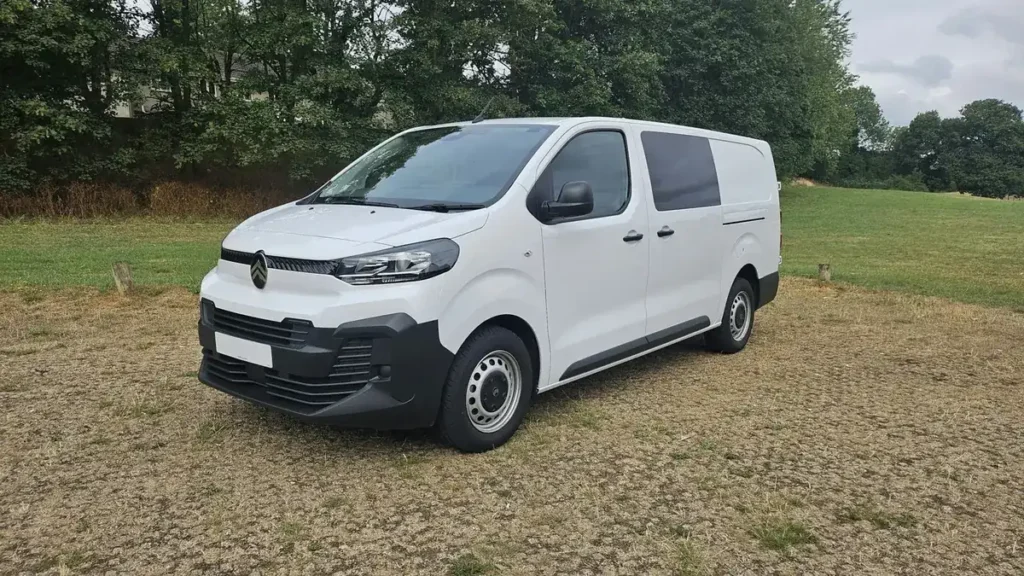
Photo: Autotrader UK, Unsplash.