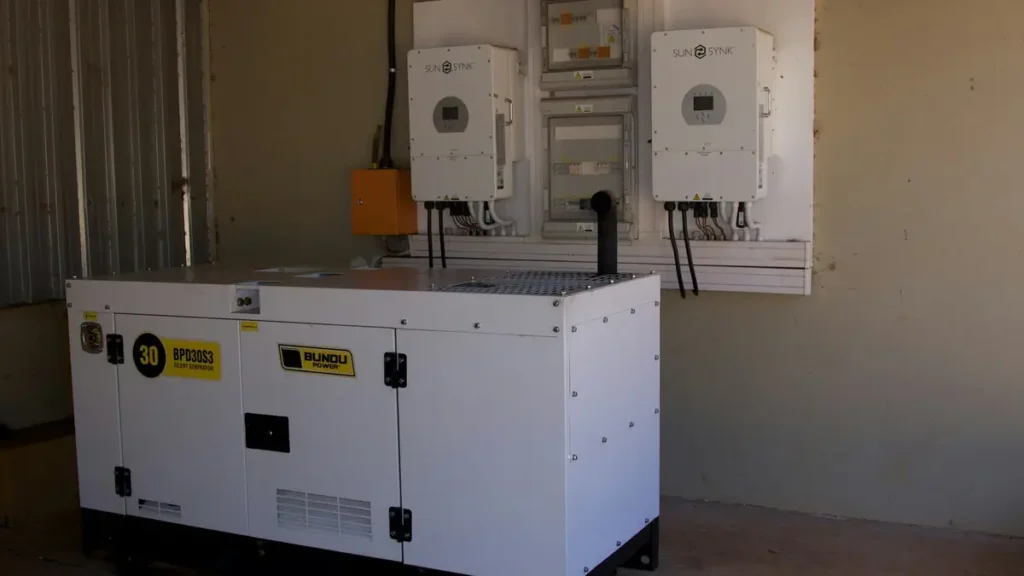
The power went out overnight. The standby generator was supposed to start, and nobody found out until morning that it had not. For a clinic with a vaccine fridge, a church with a sump pump, a farm with a barn fan or a business with a small server room, that is the outage that costs money. If the controller reports a failed start as an alarm, monitoring can tell you at the time instead of the next morning. Here is what it can tell you, what to check on your generator first, and what it does not do.
Quick answer
- If the controller reports a failed start as an alarm, monitoring can tell you at the time instead of the next morning.
- Alerts on your phone answer four questions: is it running, has it faulted, is a reading over its limit, and has it gone quiet.
- The readings come in through an off-the-shelf Lantronix cellular gateway connected to the controller’s Modbus, serial, dry-contact or analog outputs.
- It reads and alerts. It does not start or stop your generator, and each unit is scoped and mapped before it goes live.
The outage nobody noticed
Most standby generators sit idle for months, apart from a short exercise run the controller does on a schedule. When something goes wrong, it usually shows up as a light on the controller panel, where nobody is looking: a low battery, a fault, or a switch left in the wrong position.
A service visit once or twice a year catches some of it. It does not tell you what happened last Tuesday at 2 a.m. That is the gap remote monitoring fills: most modern generator controllers keep track of their own state, and a small gateway passes that on to someone who will act on it.
What remote monitoring can tell you
Once the generator is connected, the questions you care about become alerts on your phone:
- Is it running? If the controller has a run output, a rule on it can alert you when the generator starts running.
- Has it faulted? An alarm output or a fault reading triggers an alert when the controller reports a problem.
- Is a reading over its limit? Set a rule on a reading: above, below, equal to or not equal to a value. A hold time before the rule fires keeps brief spikes from setting it off.
- Has it gone quiet? A gateway that stops reporting is marked offline after 10 minutes of silence by default, and you get an alert.
Alerts go out by email, SMS through your own SMS account, Slack, Microsoft Teams or a webhook. A summary with the readings in CSV form can be sent daily or weekly, so you can see how the generator ran without logging in.
Alerts are available on every plan. Dashboards and automations are on higher plans, see pricing.
How the generator gets connected
The readings come in through an off-the-shelf Lantronix cellular gateway connected to the generator controller’s own outputs. If your equipment speaks Modbus or serial, or has dry-contact or analog outputs, our gateway brings it in.
- Modbus. The gateway acts as the Modbus master and asks the controller for its readings. We set up the Modbus RTU registers so each reading gets a name you recognize, not a register number.
- Dry contacts. The gateway watches a contact the controller opens or closes, such as a run or common-alarm output.
- Analog outputs. It reads the signal level and your rule decides what counts as too high or too low.
Our equipment monitoring page lists which gateway fits which kind of output.
What to check on your generator before calling anyone
You can answer most of the first call yourself with a flashlight and the controller manual:
Before you call anyone
- The make and model of the generator and of its controller, the panel with the display and buttons. They are often different brands.
- A Modbus or serial port. Look in the manual for “Modbus”, “RS-485” or “RS-232”. Some controllers need an add-on module for it.
- Alarm or run contacts. Many controllers have spare relay outputs labeled for run status, common alarm or similar. These are the dry contacts.
- Where the gateway would get power. If it shares a circuit that drops in the outage, the first thing you hear is that it went offline.
- Who should get the alert, and who covers nights and weekends.
A photo of the controller and its nameplate is a good place for us to start.
What it does not do
We would rather you know these before the first call than after the gateway is bought.
Where it stops
- It is not plug and play with every controller. Each unit is scoped and mapped before it goes live.
- It does not start or stop your generator. It reads and alerts.
- It is an early warning, not a safety system: alerts depend on cellular coverage and on the service that delivers them, so keep your existing checks for anything critical.
- If the gateway stays online but the generator controller behind it goes silent, that does not raise an alert today. The offline alert covers the gateway itself.
- We do not offer transfer-switch status yet. If your transfer switch has a Modbus port, mention it when we talk, but plan on monitoring the generator.
- It does not replace your service contract. Someone still has to change the battery and the oil.
How we scope it
Generator monitoring is a “talk to us and we will scope it” job, not a box you order from a page. It goes like this:
- You tell us the equipment. The make and model of the generator and controller, and what outputs it has.
- We confirm the signal path. We name the off-the-shelf gateway that fits. You buy the gateway directly from the vendor. We do not sell hardware or SIM cards.
- It gets connected. You or your installer connect it, or we install it for you as a quoted project. Installation is not included by default.
- We set up where your alerts go, and the rules that matter for your site.
We are based in Lincoln, Nebraska. The same setup covers HVAC and plant equipment, which our remote equipment monitoring page walks through.
Have a standby generator you would like to hear from? Tell us what you run and we will come back with what we can read and what it takes.
Photo: Sergio Martins, Unsplash.